
Download MidGenie – AI‑Powered Video Dubbing Software for Global Reach
Overview
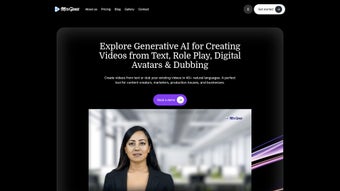
MidGenie is a cloud‑based, subscription‑driven platform that brings artificial‑intelligence video dubbing and text‑to‑video creation to a wide spectrum of industries, from edtech and media to healthcare and e‑commerce. By converting plain text into engaging video content and dubbing existing footage in more than 40 languages, MidGenie empowers creators, marketers, and businesses to expand their audience without the traditional bottlenecks of voice‑over studios. The service relies on lifelike synthetic voices, high‑accuracy translation, and a sophisticated lip‑sync engine that matches speech to on‑screen mouth movements, delivering studio‑quality results that retain the original tone and emotional nuance. MidGenie also bundles expert partnership services for users who need hands‑on assistance during the dubbing workflow, making it a complete end‑to‑end solution for anyone looking to produce multilingual video assets quickly, securely, and cost‑effectively.
Key Features
- AI‑Generated Voices: Over 120 hyper‑realistic voice skins covering more than 40 languages, with adjustable speed, pitch, and emotion.
- Automatic Lip Sync: Real‑time alignment of dubbed speech with character mouth shapes, ensuring visual consistency.
- Text‑to‑Video Engine: Turn scripts, blog posts, or slide decks into fully animated videos using templates and AI‑driven scene selection.
- High‑Accuracy Translation: Neural‑network translation with context awareness, reducing post‑edit effort for multilingual content.
- Expert Partnership Service: Access to professional linguists and dubbing specialists for quality assurance and custom voice creation.
- Batch Processing: Upload multiple video files at once and apply a single language profile, speeding up large‑scale projects.
- Secure Cloud Infrastructure: End‑to‑end encryption, GDPR compliance, and role‑based access control for corporate environments.
- Integrated Analytics: Track viewer engagement, language performance, and conversion metrics directly from the dashboard.
- Cost‑Effective Pricing: Tiered subscription plans with unlimited renders for enterprises, and a pay‑as‑you‑go option for occasional users.
- Continuous Updates: Monthly AI model improvements, new voice releases, and UI enhancements delivered automatically.
Installation, Usage & Compatibility
MidGenie is delivered as a web application, which means there is no traditional installation process on the user’s device. All you need is a modern browser (Chrome, Edge, Firefox, or Safari) and an internet connection. To get started, simply navigate to midgenie.com, create a free trial account, and follow the onboarding wizard that guides you through API key generation, workspace setup, and first‑time video upload.
Once logged in, the dashboard presents a clean three‑pane layout: a left‑hand navigation panel for project management, a central canvas where you preview and edit videos, and a right‑hand panel for voice, language, and timing settings. Upload your source video (MP4, MOV, or AVI formats are supported) or paste your script into the text editor. Select the target language from the drop‑down list, choose a voice profile, and let MidGenie’s AI process the file. The rendering queue typically completes a 5‑minute video in under three minutes, depending on server load and selected resolution.
Because MidGenie runs entirely in the cloud, it is compatible with Windows 10/11, macOS 12+, Linux browsers, as well as mobile operating systems such as Android 9+ and iOS 13+. The responsive UI adapts to tablets and smartphones, allowing you to approve drafts or make quick edits on the go. For teams that require deeper integration, MidGenie offers RESTful APIs and Webhooks that can be embedded into existing CMS, LMS, or marketing automation platforms, ensuring a seamless workflow across the technology stack.
Pros, Cons & Frequently Asked Questions
Pros
- Fast, AI‑driven dubbing reduces production time by up to 80%.
- Lifelike voices that convey emotion and tone.
- Robust multilingual support (40+ languages).
- Automatic lip‑sync eliminates manual frame‑by‑frame adjustments.
- Scalable cloud architecture suitable for solo creators and large enterprises.
- Secure data handling with GDPR compliance.
Cons
- Requires a stable internet connection; offline work is not possible.
- Subscription pricing may be high for occasional hobbyists.
- AI‑generated translations, while accurate, sometimes need human proofreading for niche terminology.
Can I use MidGenie for commercial projects?
Yes. All subscription plans include a commercial‑use license, allowing you to publish dubbed videos on websites, social media, TV, or any paid platform without additional royalties.
How accurate is the translation engine?
MidGenie employs neural machine translation models trained on millions of parallel sentences. For most business content, accuracy exceeds 95 %. Complex legal or medical jargon may still benefit from a human reviewer.
Do I need to export the video to edit the audio later?
No. The platform stores the original audio track and the AI‑generated dub as separate layers. You can toggle, replace, or fine‑tune the dub directly within the web editor before final export.
Is there a free trial or a freemium version?
MidGenie offers a 7‑day free trial with up to 3 video renders (max 10 minutes each). No credit‑card is required, allowing you to test the core features before committing to a paid plan.
How does the lip‑sync technology work?
The AI analyzes the phonetic content of the generated speech and maps it to a library of mouth‑shape keyframes. It then interpolates frames to create smooth motion that matches the timing of each syllable, resulting in realistic lip movement.
Overall Rating: 4.5/5 – MidGenie delivers on its promise of fast, high‑quality AI dubbing while maintaining a user‑friendly interface and robust security.
Conclusion & Call to Action
MidGenie stands out in the crowded AI‑video market by offering a comprehensive suite of dubbing, translation, and text‑to‑video capabilities wrapped in a secure, cloud‑first environment. Whether you are an edtech startup aiming to localize courses, a media house needing rapid multilingual news clips, or an e‑commerce brand looking to personalize product videos for global shoppers, MidGenie gives you the tools to produce professional‑grade content without the overhead of traditional studios. The combination of lifelike synthetic voices, precise lip‑sync, and an intuitive web UI translates into tangible cost savings—up to 70 % lower production expenses compared to conventional methods.
Ready to break language barriers and accelerate your video workflow? Start your free trial today and experience how AI can turn any script into a captivating, multilingual video in minutes. For enterprises seeking customized voice packs or dedicated onboarding assistance, contact MidGenie’s sales team for a tailored quote.



.png)



